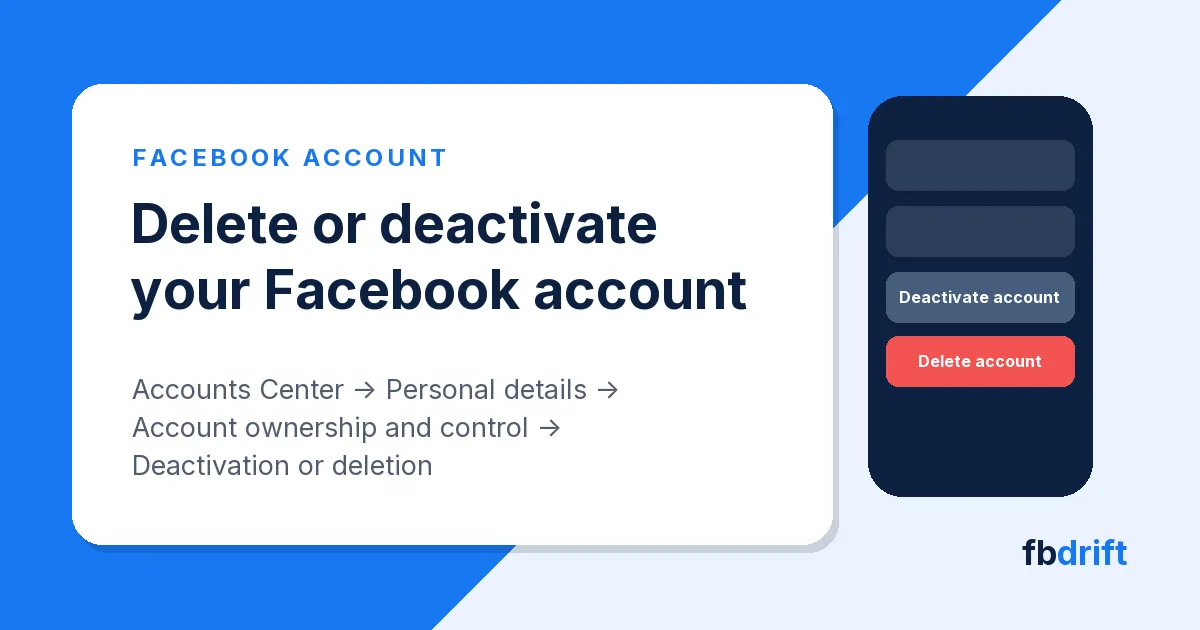
To delete or deactivate your Facebook account, open Menu → Settings and privacy → Settings → Accounts Center → Personal details → Account ownership and control → Deactivation or deletion, then choose your profile. Deactivating hides your profile until you log back in. Deleting removes it for good once 30 days have passed, and you can cancel at any point before then.
How to Delete or Deactivate Your Facebook Account
Applies to the Facebook app on Android and iPhone and to facebook.com as of November 2026. Meta is switching people from Accounts Center to Meta Account settings, so you may see either name.
Deactivate or delete: which one?
Deactivating is a pause; deleting is the end. If you only want Facebook Dating gone, you need neither: delete just your Dating profile and the rest of your account stays as it is.
Advertisement
| Deactivate | Delete | |
|---|---|---|
| Your profile | Hidden from everyone | Gone; it can't be reactivated |
| Photos, posts, videos | Kept | Deleted for good |
| Messenger | Keeps working if you leave it on | You can't use it any more |
| Messages you sent | May still be visible to friends | Copies stay in friends' inboxes |
| Coming back | Log in any time | Only by cancelling within 30 days |
Any chance you'll want the account back? Deactivate.
Before you delete: save what you want to keep
After deletion you can't retrieve anything you added, so export a copy first.
- Tap Menu, then Settings and privacy → Settings.
- Tap Accounts Center, then Your information and permissions.
- Tap Export your information, then Create export.
- Choose your profile, tap Next, then Export to device.
- Pick what to include, the date range, format and media quality, then tap Start export.
Facebook emails and notifies you when the file is ready; you then have four days to download it under Available downloads.
Also check:
- Pages only you control are deleted with your account. Give someone else full control of any Page that should stay.
- Apps you sign in to with Facebook, such as Spotify or Pinterest, lose Facebook Login. You may need to contact them to recover those accounts.
- Meta Quest: if you log in with Facebook, your Quest purchases, achievements and store credit go too.
Delete or deactivate in the Facebook app
The steps are the same on Android and iPhone.
- Tap Menu (bottom right on iPhone, top right on Android).
- Scroll down and tap Settings and privacy, then Settings.
- Tap Accounts Center, or Meta Account if your settings have switched over.
- Tap Personal details, then Account ownership and control.
- Tap Deactivation or deletion and choose your Facebook profile.
- Choose Deactivate account or Delete account, tap Continue and follow the prompts to confirm.
Delete or deactivate on a computer
- On facebook.com, click your profile picture in the top right.
- Select Settings and privacy, then click Settings.
- Click Accounts Center (or Meta Account) at the top left.
- Click Personal details, then Account ownership and control.
- Click Deactivation or deletion, pick your profile, choose deactivate or delete, then click Continue and follow the instructions.
No Personal details? You have the other layout: open Manage accounts (or Manage account), then Manage next to your profile, and Deactivation or deletion is there.
The 30-day window, and how to cancel
Deletion isn't instant. You have 30 days to change your mind; after that, the account and all its information are gone for good. Meta notes the number of days varies by region.
To cancel, log in to Facebook within those 30 days and choose Cancel deletion.
Removing everything you posted can take up to 90 days, and other people can't see it meanwhile. Copies may stay in Meta's disaster-recovery backups after that, and Meta may keep some information for legal issues, terms violations or harm prevention.
Deactivated instead? Log back in, or use Facebook to sign in somewhere else, and the account returns. You'll need access to your login email or mobile number.
What happens to Messenger
When you deactivate, Messenger stays on if you choose to keep it or you're logged in to Messenger at the time. Friends can still message you, your profile picture still shows in chats, and people can search for you to send a message.
When you delete, you can no longer use Messenger at all.
What is deleted and what stays
- Deleted: your photos, posts, videos and everything else you added.
- Stays with other people: messages you sent. Copies live in your friends' inboxes.
- Stays with Meta: some material, such as log records, with your personal identifiers removed, plus the backup copies above.
Instagram and other accounts in Accounts Center
Deleting your Facebook profile leaves the other profiles in your Accounts Center or Meta Account alone, and Instagram is one of them. To close Instagram too, do it separately. Extra Facebook profiles are different: delete or deactivate your main account and the profiles under it go with it.
A deceased or incapacitated person's account
Meta won't hand out someone else's login, even after a death. An immediate family member or the executor can ask Meta to remove the account; a death certificate scan or photo is fastest. Or ask Meta to memorialize it: the profile stays as a place for memories and nobody can log in.
If a friend or relative is permanently unable, mentally or physically, to manage their account, use Meta's medically incapacitated request. Rehab and prison don't count.
Can't log in to delete it?
Every route above starts inside the account, so get back in first. Still have the account's email or phone? Reset your password. If not:
- On a phone or computer you've used for Facebook before, open facebook.com/login/identify in your usual browser.
- Enter any email or mobile number that might be on the account, or your name or username.
- Select No longer have access to these? (it may say Forgotten account? or Recover) and follow the prompts.
Think you were hacked? Start at facebook.com/hacked on a device you've used before, and once you're in, check your Facebook security and login settings.
FAQ
How long does Facebook take to delete an account?
30 days before it's final (this varies by region), and up to 90 days to clear everything you posted.
Can I get a deleted Facebook account back?
Only within the 30 days: log in and choose Cancel deletion. After that, it's gone.
Will deleting Facebook remove my messages from friends' inboxes?
No. Copies of messages you sent stay with them.
Was this helpful?
Something wrong or missing? Tell us — we read every report and fix issues fast.
Thanks for the feedback! 🙌